|
|
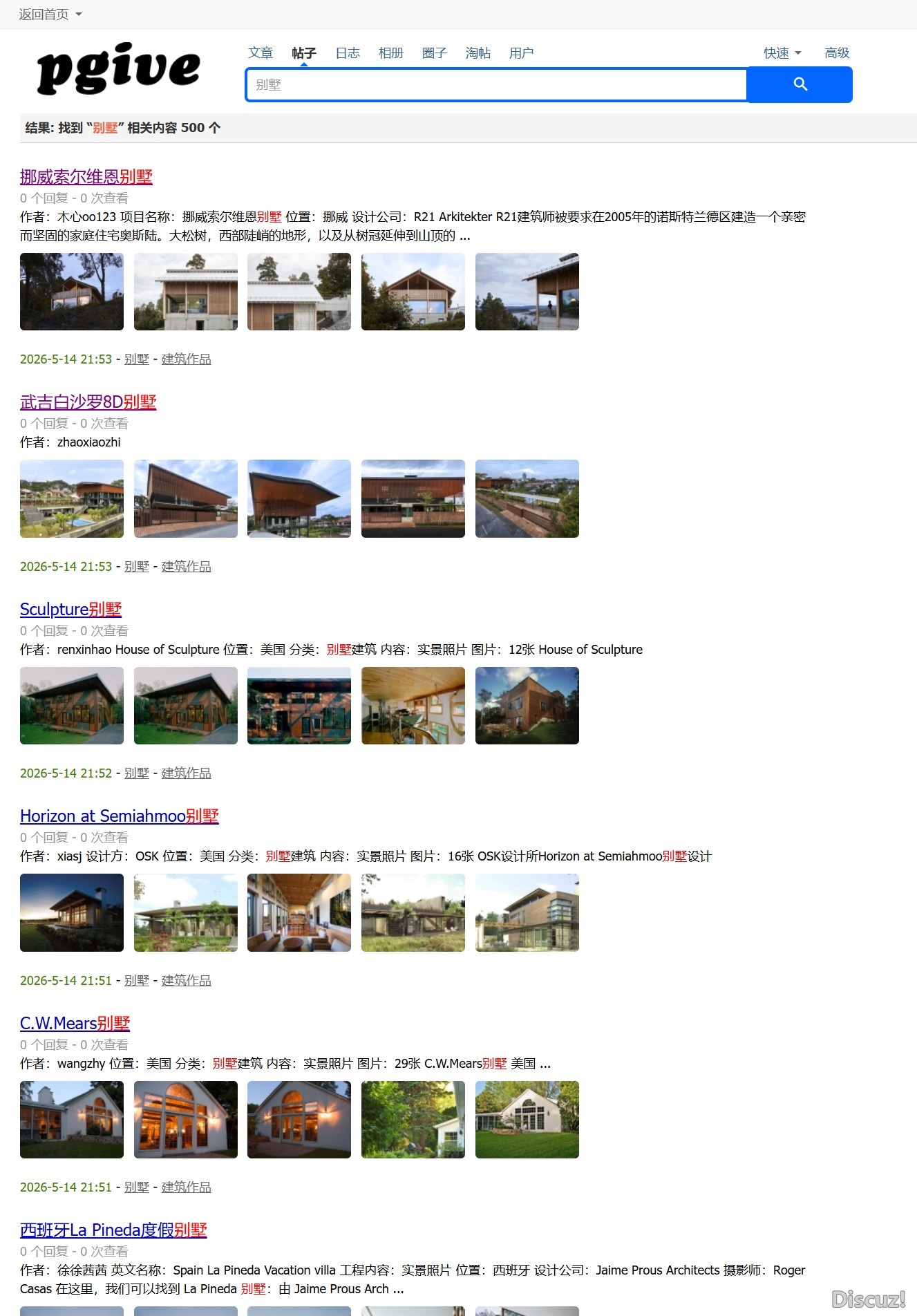
X5搜索不显示图片AI解决办法,声明我不是专业的哈,替换文件自行备份
/template/default/search/thread_list.php
原始代码(第28-28行)
- <p><!--{if !$thread['price'] && !$thread['readperm']}-->$thread[message]<!--{else}-->{lang thread_list_message1}<!--{/if}--></p>
- <p>
- <span>$thread[dateline]</span>
- <p><!--{if !$thread['price'] && !$thread['readperm']}-->$thread[message]<!--{else}-->{lang thread_list_message1}<!--{/if}--></p>
- <!--{eval $thumbs = DB::fetch_all("SELECT aid,attachment FROM ".DB::table('forum_attachment_'.substr($thread['tid'],-1,1))." WHERE tid='".$thread['tid']."' and width>100 and isimage=1 order by dateline asc LIMIT 0,5");}-->
- <!--{if $thumbs}-->
- <div class="thread-imglist">
- <!--{loop $thumbs $thumb}-->
- <!--{eval $imagethumb = getforumimg($thumb['aid'], 0, 120, 90);}-->
- <a href="forum.php?mod=viewthread&tid=$thread[tid]&highlight=$index[keywords]" target="_blank" $thread[highlight]>
- <img src="$imagethumb" alt="" onerror="this.parentNode.style.display='none'" />
- </a>
- <!--{/loop}-->
- </div>
- <!--{/if}-->
- <p>
- <span>$thread[dateline]</span>
- ...
- </p>
- <style>
- .thread-imglist { margin: 8px 0; overflow: hidden; }
- .thread-imglist a { display: inline-block; margin: 0 6px 6px 0; width: 100px; height: 75px; overflow: hidden; border-radius: 4px; }
- .thread-imglist img { width: 100%; height: 100%; object-fit: cover; }
- </style>
|
|
 关注公众号
关注公众号 有偿服务微信
 有偿服务QQ
 皖公网安备34010302002376号 )|网站地图|


 发表于
发表于